CSAA · Product Design Lead · Team: +3 · Time: 1 Month (2023), 3 Months (2021) · UI, Visual Design
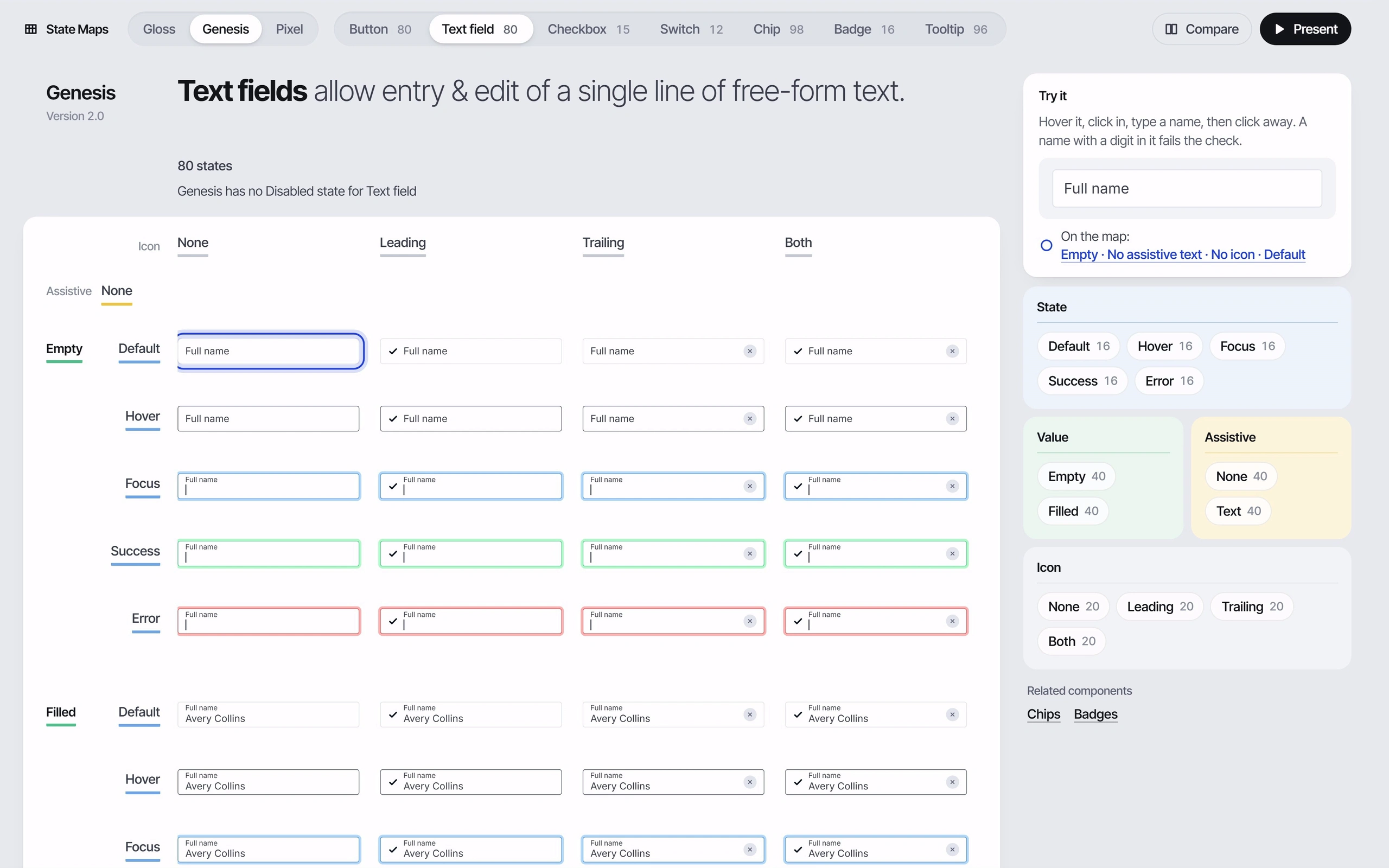
Seven components (buttons, text fields, checkboxes, switches, chips, badges with tags, and tooltips) in three design systems, Gloss, Genesis and Pixel. Switch systems and the cells change in place, with a line naming any state a system lacks. Click property chips to keep only the matching states lit, type in the live field to watch its place on the map move, and click a cell for its tokens down to the hex value. States a system never drew are reconstructed from its own tokens, and the inspector says which.
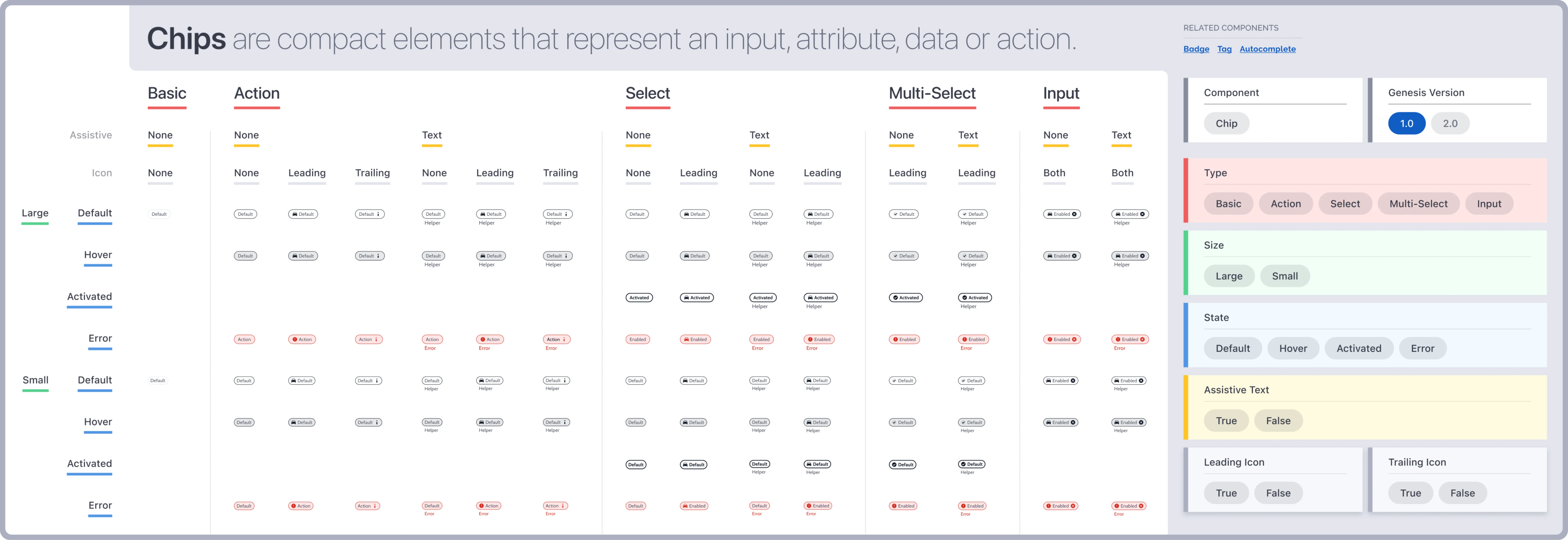
The mockups below are nine maps, each laying out every variant, size and state of one component: chips, badges and tags from the Genesis design system, and checkboxes, switches, links, chips, buttons, tooltips and blocks from Pixel, with property panels beside them.
Wireframes
How State Maps works, sketched: finding a state, the map and its inspector, one choice about scale, and what a missing state looks like.
Find a state A flow of six steps: pick a system, pick a component, filter by property chips, read the cell, open its tokens, and optionally open it in Pixel Studio, above three small grids that narrow from every state to one cell. Find a state The job: land on one state among hundreds and see what it is made of. Pick a system Pick a component Filter by property chips Read the cell Open its tokens Open it in Pixel Studio optional The same map at each step every state only the matching states lit one cell 1 Questions, not scrolling Each step narrows the same map instead of paging through documentation. 1 Find a state. Finding one state among hundreds.The map and its panel A wireframe of the map screen: a system switch, component tabs with counts, a one-line header, a grid of cells with most dimmed and a few lit, and a property panel of chip groups beside it, with the live field at the top of the panel and a ring on one cell. The map and its panel state: Genesis, Text field Every variant, size and state of one component, with the panel that queries it. State Maps Gloss Genesis Pixel Compare Present Button 80 Text field 80 Checkbox 15 Switch 12 Chip 98 Badge 16 Tooltip 96 Try it None Leading Trailing Both Default Empty Full name On the map Hover State Default Hover Focus Focus Success Error Value Default Filled Empty Filled Assistive Hover None Text Icon Focus None Leading Trailing Both 12 of 80 states 1 The panel queries the map Click chips and only matching states stay lit, with a count. 2 Readable at a glance The map fits the width; zoom glides in, no inner scroller. 3 You are here Type in the live field and a ring moves to its state on the map. 2 The map and its panel. The map, queried by its own property panel.A cell’s tokens A wireframe of the inspector open over the panel: the cell’s axis values, three token chains each running from a semantic token to a primitive to a value with a swatch, a drawn or reconstructed tag, and an Open in Pixel Studio button, beside the dimmed map with one cell selected. A cell’s tokens state: inspector open Click a cell and its properties resolve, one token at a time, to a value. State Maps Gloss Genesis Pixel Compare Present Button 80 Text field 80 Checkbox 15 Switch 12 Chip 98 Badge 16 Tooltip 96 This cell None Leading Trailing Both Focus Leading Empty semantic primitive value Border Fill Text Where it came from drawn reconstructed Open Text field in Pixel Studio 1 Down to the value Each property resolves through its tokens to a hex. 2 Says where it came from A cell is marked drawn or reconstructed from tokens. 3 One step to the studio Open the same element and state in Pixel Studio. 3 A cell’s tokens. Inspecting one cell down to its values.How big a map Two options side by side: one very wide poster of tiny cells scrolled sideways, struck through, and a map fit to the width with a property panel beside it, circled as the choice. How should a full state map read? Panel Hover Focus Empty Filled Assistive None Leading None Text Icon None Both 12 of 80 states One wide poster, scrolled sideways A map fit to the width Nobody reads a wall of 8-point labels; a map that answers questions gets used. 4 How big a map. A map that answers questions instead of a poster.A state a system lacks The map after switching to Pixel: the Success column collapses to a thin dashed strip with arrows closing in on it, and the line under the header reads that Pixel has no Success state for Text field. A state a system lacks state: Pixel The map after switching to Pixel. State Maps Gloss Genesis Pixel Compare Present Button 80 Text field 80 Checkbox 15 Switch 12 Chip 98 Badge 16 Tooltip 96 Pixel has no Success state for Text field Default Hover Focus Success Error State Default Hover Focus Error Success Value Empty Filled Assistive None Text No substitute cell: the column closes up. 1 Gaps are named A missing state collapses with a sentence saying so, never a substitute cell. 5 A state a system lacks. Switching to a system that lacks a state.Mockups
Genesis Design System · In the résumé
Its 9 mockups, in order:
Genesis: Chips States
Genesis: Badge + Tag States
Pixel: Checkbox States
Pixel: Switch States
Pixel: Link States
Pixel: Chip States
Pixel: Buttons States
Pixel: Tooltip States - Change fixed content
Pixel: Block States - Change fixed content