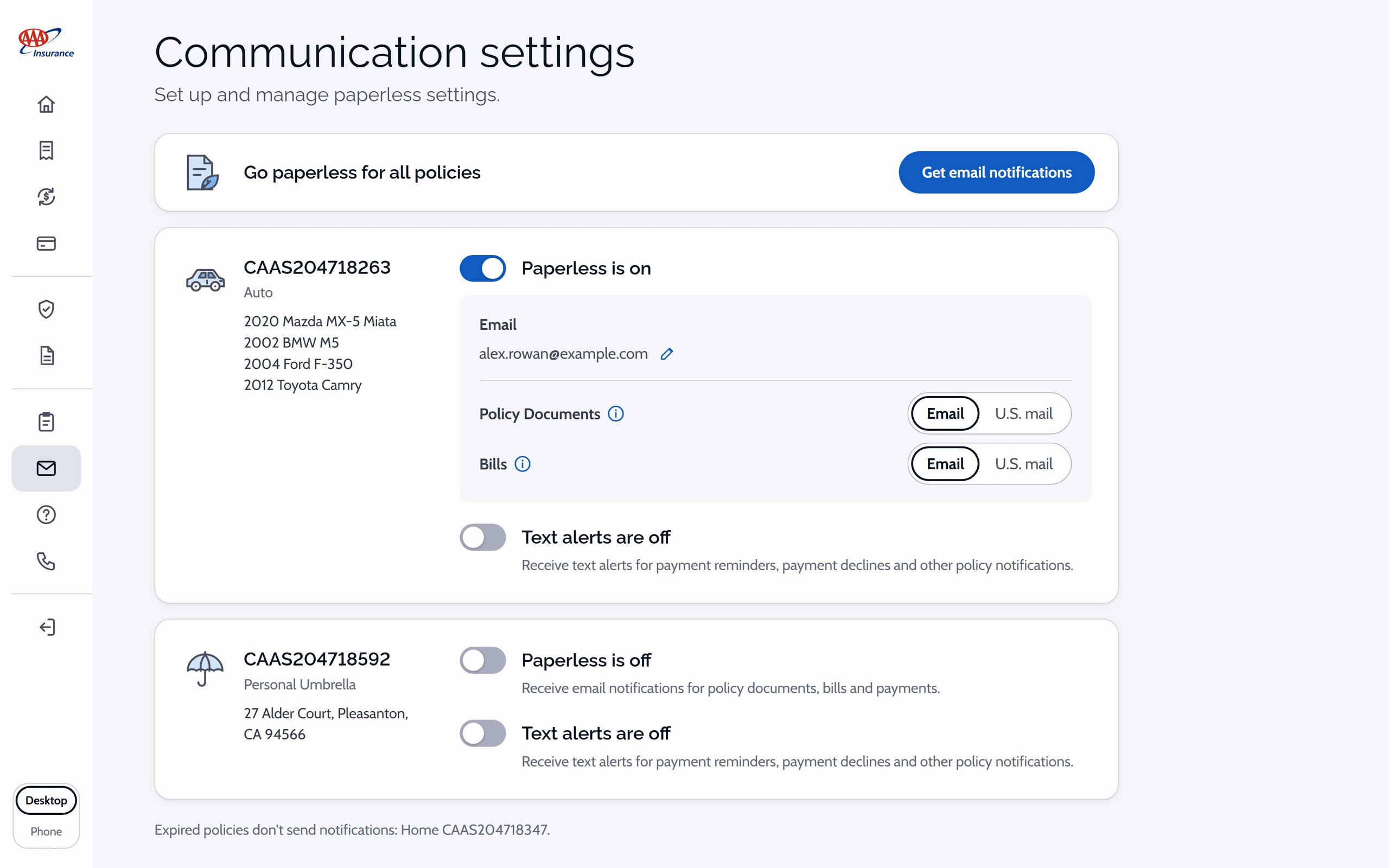
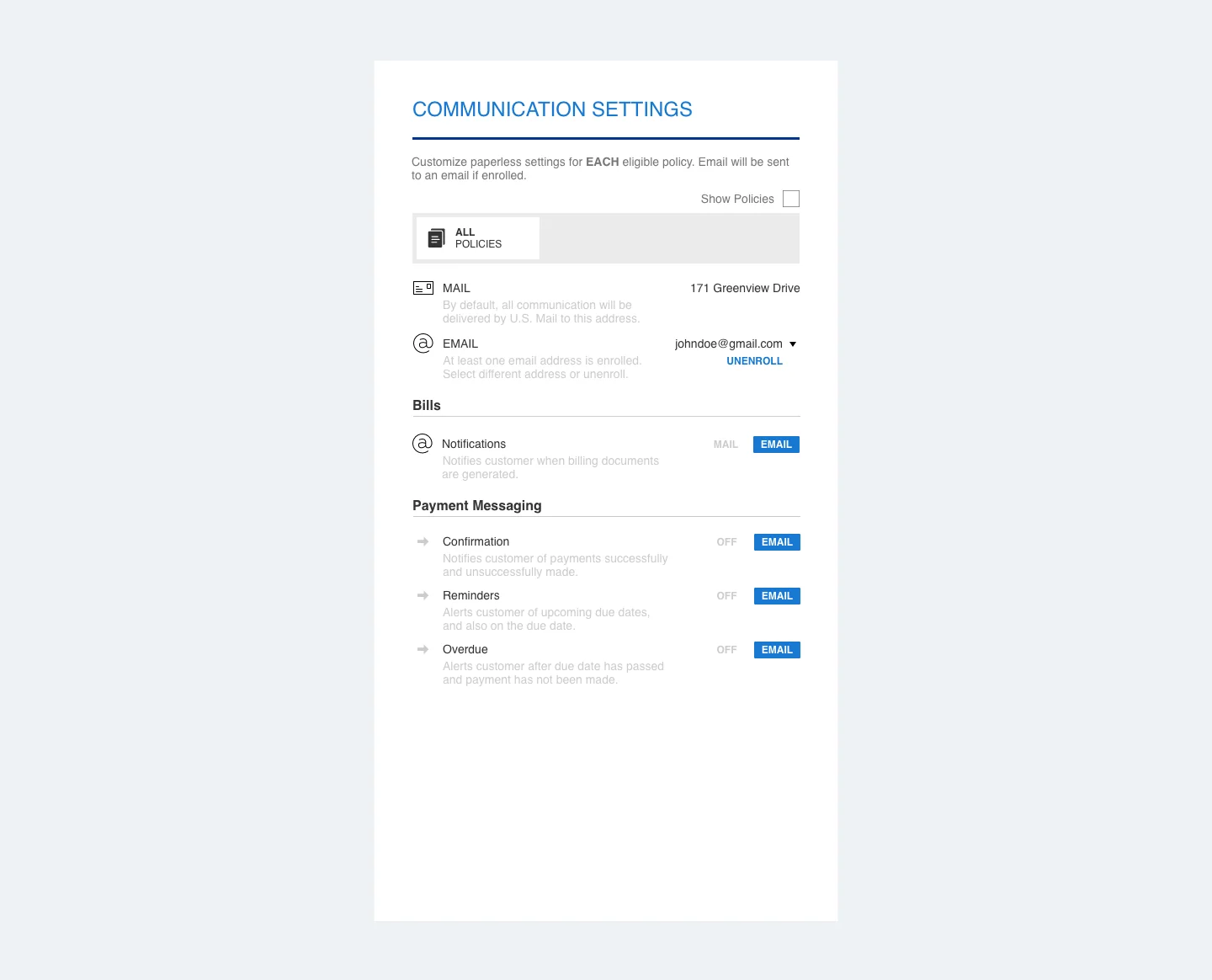
Comm Settings v1 ·CSAA ·Chief Product Designer ·Team: +0 ·Time: 2 Months (2018) ·UI,User Research
Comm Settings v2 ·CSAA ·Chief Product Designer ·Team: +0 ·Time: 2 Months (2019) ·UX,UI,User Research
Named in the résumé under Other Work at AAA Insurance, also known as CSAA.
Two versions of the same feature. The first, from 2018, is one panel for choosing mail or email for each kind of message across all policies or one at a time, ending on a user-story board that pairs a scripted customer-agent conversation with a paperless-settings card. The second, from 2019, gives each policy a card with Paperless and Text alerts switches, dialogs that collect an email address or a mobile number, and the enrolled states, every step with a phone version. The working app follows the second: a card per policy with paperless and text-alert switches, and dialogs to add the email or mobile number.
Wireframes
How Communication settings works, sketched: the job, its two working screens, one choice about the policy cards, and one state.
1Paper off, alerts on. The job: fewer envelopes and texted reminders, set policy by policy.2A card per policy. The settings: one card per active policy, switches first.3A number, with consent. Collecting a mobile number, with consent in the same place.4How a policy card is laid out. Fitting both policies on the first screen.5Turning one off. Confirming a turn-off in place, without a dialog.